
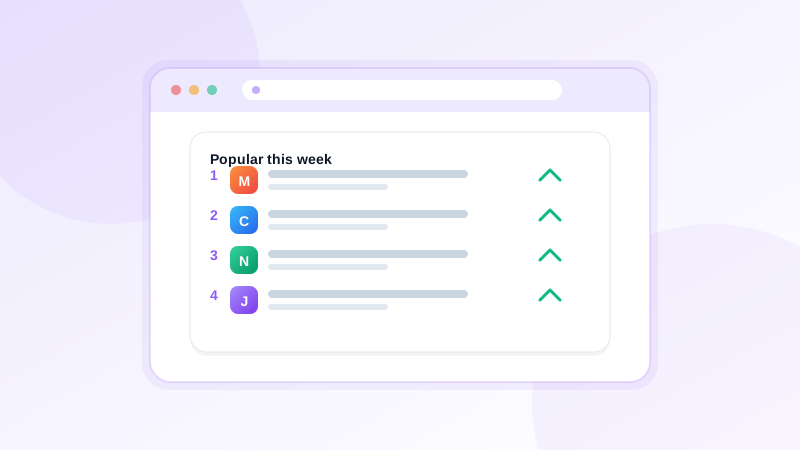
The Popular Websites widget: see what is trending in your own browsing
NESKTOP can show your most-visited sites automatically on your desktop — no manual updating. Here is how the Popular Websites widget works.
Automatically populated from your browsing
When you install the NESKTOP browser extension, the widget reads the top-sites list your browser already maintains. It does not automatically import those sites into your NESKTOP canvas — they appear inside the widget for one-click access. You can disable the feature at any time, and you should review the browser and extension permissions you grant before enabling it. You never need to manually add or update them. As your browsing habits shift, the widget updates to reflect your new favorites.
Let your desktop update itself
Add the Popular Websites widget and watch your desktop reflect what you actually browse.
Try it freeA grid of visual icons — just click and go
The Popular Websites widget displays your top sites as a clean grid of icons with names. Each icon links directly to the site — one click takes you there. You can adjust the icon size to fit more or fewer sites on the canvas, anywhere from compact 18-pixel icons to large 52-pixel tiles. The visual layout makes scanning your frequent destinations fast and intuitive.
No setup, no maintenance
Unlike manually adding bookmarks one by one, the Popular Websites widget requires zero ongoing work. Install the extension, enable the feature, and the widget populates and updates on its own. It is the simplest way to keep a dynamic, always-current list of your top destinations on your desktop.
Comparison table
| Feature | Nesktop | Other approach |
|---|---|---|
| Updates | Automatic — no manual work required | Manual bookmarks: add and remove by hand |
| Accuracy | Reflects the top-sites list your browser already maintains, not a manually chosen list | Manual lists: may fall out of date |
| Setup | Install extension, enable feature, done | Manual: add each link individually |
FAQ
Does the extension track all my browsing?
The extension reads the top-sites list your browser already maintains locally. It does not automatically import those sites into your NESKTOP canvas — they appear in the widget only. You can disable the feature at any time, and you should review the browser and extension permissions you grant before enabling it.
Can I hide certain sites from the widget?
The widget shows the top sites your browser reports. If a site you do not want to see appears, you can remove the widget and use manual bookmark tiles for more control.
Related articles
Let your desktop update itself
Add the Popular Websites widget and watch your desktop reflect what you actually browse.
Continue