The NESKTOP browser extension: save any page and make NESKTOP your new tab or start page
Everything the NESKTOP extension can do — save pages to a folder with one click, pull your browser bookmarks and top sites when you choose, and set NESKTOP as your new tab page or browser start page.
Save any page to a NESKTOP folder in one click
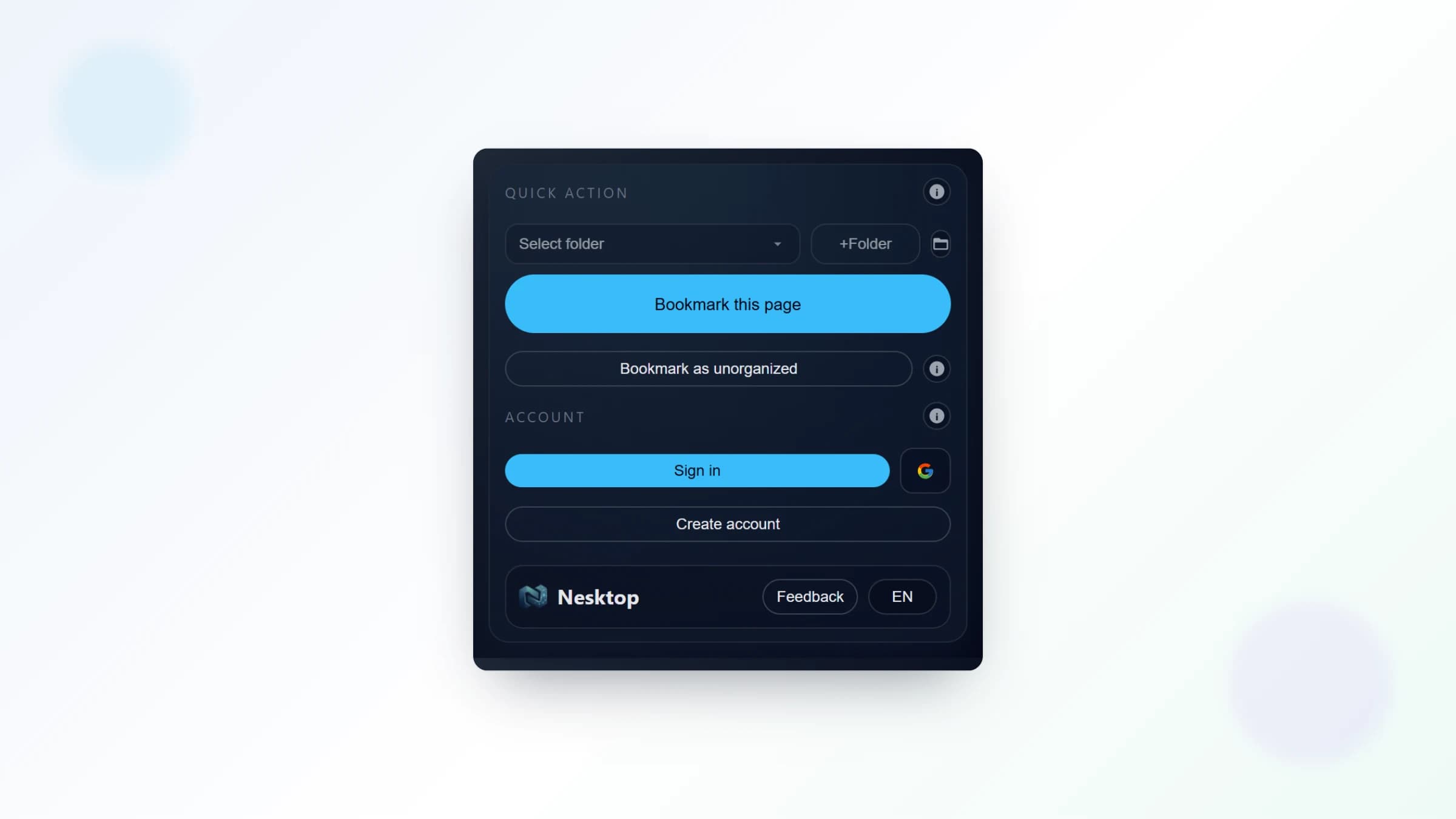
After signing in from the extension popup, click the NESKTOP extension icon in your browser toolbar while you are on any web page. Choose which folder to save it to, and the page is saved as a bookmark in that folder in your NESKTOP account — no copying URLs, no switching tabs, no manual entry. Saved links appear in that folder and in the Website Link Viewer; drag a bookmark from the panel onto your canvas to place it on your grid whenever you want it there.
Install the extension and save faster
One click from any page to your NESKTOP folder with the released Chrome extension.
Try it freePull your browser bookmarks and top sites when you want them
The extension can read your browser bookmarks and top sites when you enable the optional bookmark and top-sites access. The Pull action collects your browser bookmarks into the browser-data panel (Browser URL folders) — they are read-only there, nothing is imported into your NESKTOP folders or canvas automatically, and you choose which links to place. Top sites follow a separate flow: with top-sites access enabled and the Popular Websites widget on your canvas, the widget loads your most-visited sites from the extension and updates on its own, with no manual import step. Your browser bookmarks stay in your browser; the panel just gives you a visual view of them on NESKTOP.
Set NESKTOP as your new tab page
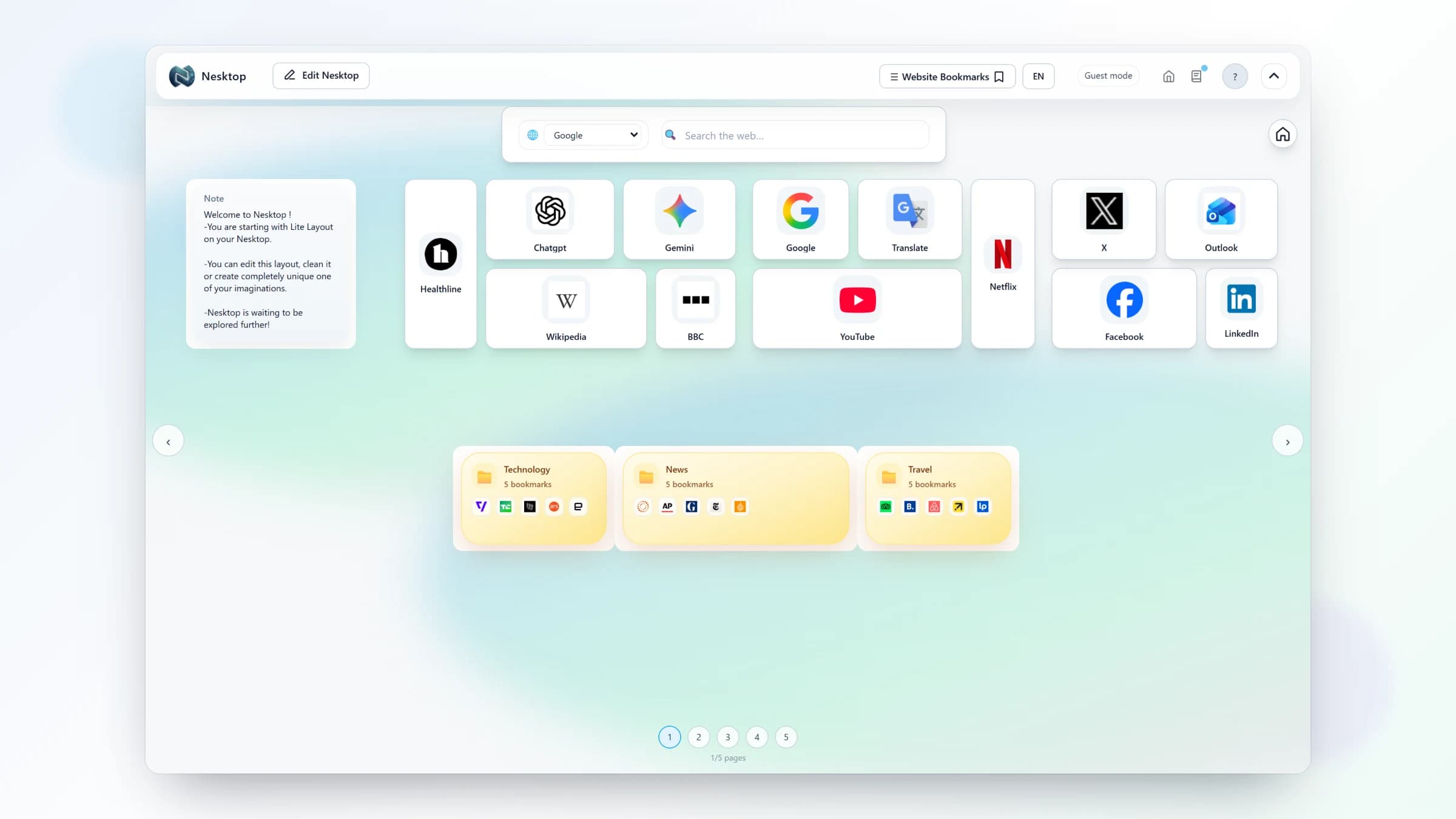
The extension can replace your browser's default new tab page with your NESKTOP desktop. After installing, open a new tab — your desktop should appear. If it does not, open the extension popup, go to Settings, and turn on the "New tab opens Nesktop" switch. You can customize the URL the new tab opens and disable the override again at any time if you want your default new tab back.
Set NESKTOP as your homepage or startup page without the extension
The web app works in modern browsers, so you can also set https://nesktop.com/nesktop, or the shorter https://nesktop.com/canvas alias, as your browser home or startup page. Open your browser settings, find the Homepage or "On startup" section, and paste the URL. This works with or without the extension and is the documented path while browser-specific store releases are being prepared.
Comparison table
| Feature | Nesktop | Other approach |
|---|---|---|
| Save pages | One click from the extension icon — pick a folder, done | Without extension: copy URL, switch to NESKTOP, add manually |
| Browser data | Two separate optional flows — bookmarks: Pull them into a read-only browser-data panel when you choose; top sites: load into the Popular Websites widget with no manual import | Without extension: browser bookmarks and top sites stay in the browser only |
| New tab / start page | Extension new-tab override, or https://nesktop.com/nesktop (or /canvas) as homepage or startup URL | Without extension: use the web app at nesktop.com |
FAQ
Is the extension required?
No. NESKTOP works as a standalone web app at nesktop.com. The extension adds convenience features — one-click saving, optional browser-data pulls, and the new tab override — but the core desktop works without it.
Which browsers are supported?
The released NESKTOP extension is currently available through the Chrome Web Store; Edge, Firefox, and Opera store releases are being prepared, and Safari support is planned. The web app itself works across modern browsers, where you can set https://nesktop.com/nesktop or the /canvas alias as your homepage or startup page.
Can I still use my regular new tab page if I change my mind?
Yes. You can disable the new tab override in the extension popup settings at any time, and your browser will return to its default new tab behavior.
Related articles
Install the extension and save faster
One click from any page to your NESKTOP folder with the released Chrome extension.
Continue